Habit Tracker Spreadsheet: How to Build One That Survives a Missed Day
Set up a habit tracker spreadsheet in Excel or Google Sheets that keeps counting after a missed day: the layout, formulas, streak rule and what to track.
By Ultimate Habit Tracker by Cosmo Suite · Editorial policy
Published · 9 min read
You set up a habit tracker on the first of the month and check every box for nine days. Then you miss a Saturday, and the streak counter drops to zero. A week later you stop opening it. That moment, the morning after a missed day, determines whether a tracker survives.
The short answer: build a habit tracker spreadsheet that scores the month, not the streak. Use one row per habit and one checkbox per day, with a monthly percentage as the headline number. Add a streak that pauses on one miss and ends only on two. In Excel or Google Sheets, that requires three formulas and a helper row. A habit tracker where a missed day doesn't wipe your month works identically if you'd prefer not to build it.
When a tracker gets abandoned, the scoring is usually more responsible than willpower. This guide covers the layout, the formulas, the streak rule and a complete October scored both ways, in the order you'll need them.
What a Missed Day Does to Your Score
A missed day costs a monthly score about 3 points and costs a classic streak everything. That difference explains why so many trackers get abandoned after the first gap.
Most trackers, applications and printables alike, prioritize one number: the current streak. A streak is the count of consecutive days you completed a habit. It's motivating while it grows. The moment you miss a day it resets, and three weeks of effort suddenly display as zero.
Research on habit formation suggests a different priority. Phillippa Lally and colleagues at University College London followed 96 participants, as the British Psychological Society's Research Digest summarizes. They took an average of 66 days to reach peak automaticity, ranging from 18 to a predicted 254 days. A single missed day had little impact on later progress, although several missed repetitions did accumulate. A "never miss twice" rule captures exactly that pattern.
A newer 2024 systematic review in Healthcare pooled 20 studies with 2,601 participants. Four of them reported median times to habit formation of 59 to 66 days, with individual results ranging from 4 to 335 days. Steady weeks count for more than perfect days.
Habit Tracker Spreadsheets at a Glance
Here's how the common tracking options compare on the moment that matters most: the day after a miss.
| Option | What a missed day does | Setup effort | Best for |
|---|---|---|---|
| Paper printable | Leaves an empty box; no totals | None | People who like a pen and a fridge door |
| Streak-only app | Resets the headline number to zero | Minutes | People who rarely miss and want reminders |
| Your own spreadsheet | Whatever rule you write | An evening | Spreadsheet people who enjoy building |
| Ready-made spreadsheet | Pauses the streak, keeps the month % | Minutes | Restarters who want the rules done |
If you've abandoned a tracker before, the bottom two rows deserve attention, since both let you decide what a missed day costs.
Scoring One Real October
[Original data] Here is one sample October with 4 habits and a few missed days each, scored both ways. These are example check-offs, not a real person's data. The numbers come from applying this post's formulas to them.
| Habit | Days checked (of 31) | Month score | Classic streak on Oct 31 | Never-miss-twice streak on Oct 31 | Comebacks |
|---|---|---|---|---|---|
| Walk 20 minutes | 27 | 87 percent | 6 | 12 | 3 |
| Read 10 pages | 25 | 81 percent | 3 | 9 | 4 |
| Drink 2 liters of water | 29 | 94 percent | 2 | 29 | 2 |
| Phone off by 10pm | 22 | 71 percent | 1 | 5 | 8 |
| All habits | 103 of 124 | 83 percent |
The walking habit missed October 10, 17, 18 and 25. Under a classic streak, it finished the month displaying 6. Under never-miss-twice, the isolated misses on the 10th and the 25th only paused it. The two misses in a row on the 17th and 18th ended it, so it finished at 12.
[Unique insight] The classic streak penalizes your strongest habits most severely. Water was checked on 29 of 31 days, the strongest habit of the month. Yet one miss on October 29 left its classic streak at 2, lower than walking or reading. The monthly percentage ranks the four habits in the order you genuinely maintained them.
The comebacks column reveals something different. Phone-off-by-10pm was the weakest habit at 22 of 31 days, but it had 8 comebacks. You returned after every miss and kept the habit alive all month.
Habit Tracker Spreadsheet Layout: One Row per Habit, One Column per Day
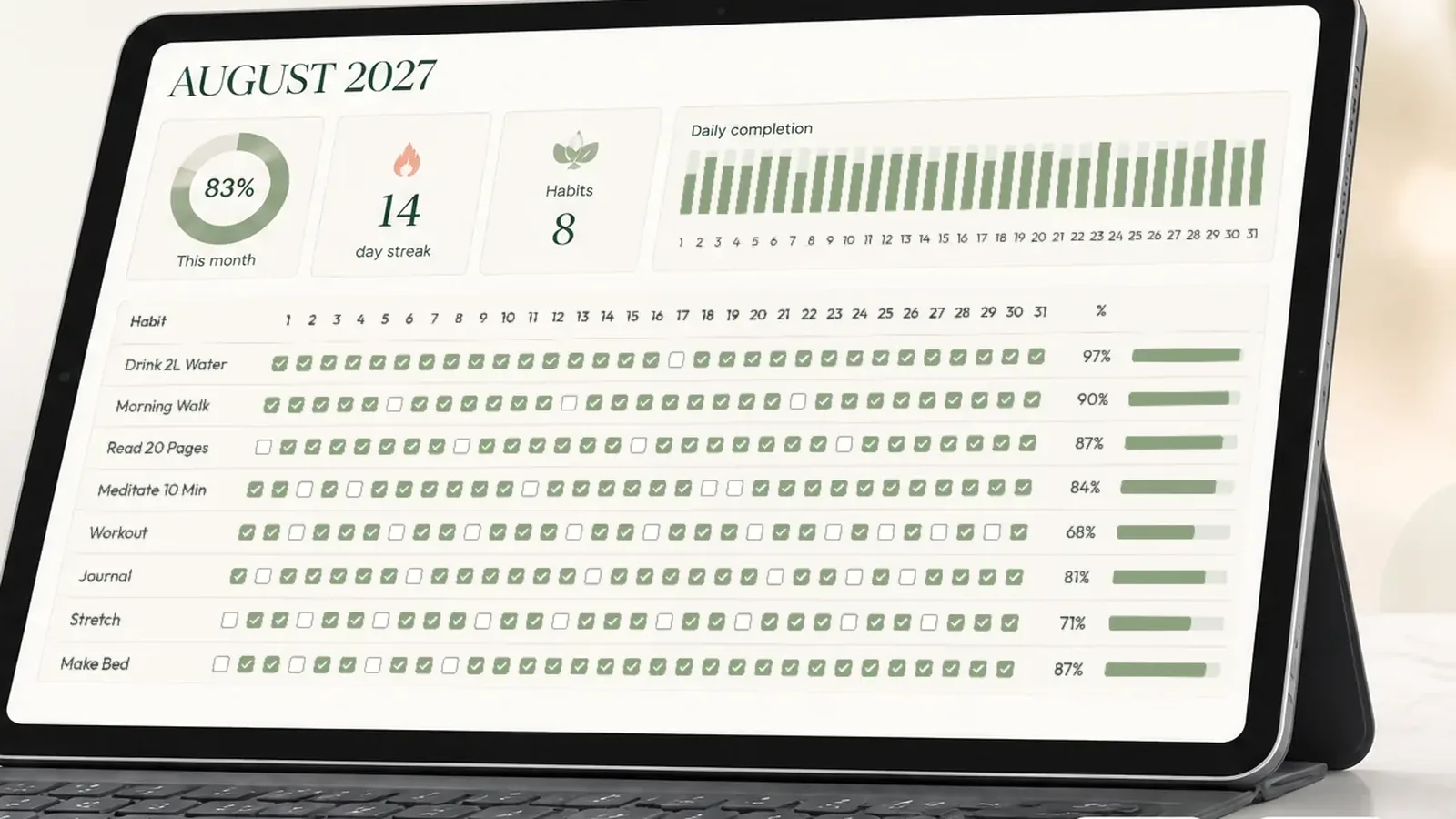
The layout is a grid: habits down the side, days across the top, a checkbox in every cell. Every other feature depends on it.
- Column A: habit names, one per row (start with three).
- Columns B to AF: days 1 to 31 of the month.
- Row 1: the dates. Put
=DATE(2026,10,1)in B1 and=B1+1in C1, then fill right. - Cells: checkboxes. In Google Sheets, use Insert, then Checkbox, as Google's checkbox guide shows. In Excel for Microsoft 365, select the range and use Insert, then Checkbox, per Microsoft's checkbox page.
- One tab per month, so each month starts fresh and previous months remain as a record.
Both programs store a checked box as TRUE and an empty one as FALSE, so the same formulas work in either. Checkboxes matter more than they appear to. Typing an "x" for every habit, every day, adds friction, whereas a click is fast enough that checking off your day never feels like administration.
Four Formulas That Make Every Day Count
You need three calculations per habit and one for the month. COUNTIF is the function that counts cells in a range matching one condition. That's how Google's COUNTIF reference describes it.
| What you want | Google Sheets / Excel formula (row 2) | Why it helps |
|---|---|---|
| Days done this month | =COUNTIF(B2:AF2, TRUE) |
The real measure of effort |
| Days so far | =MIN(DAY(TODAY()), 31) |
Compares like with like mid-month |
| Habit % this month | =COUNTIF(B2:AF2, TRUE) / MIN(DAY(TODAY()), 31) |
One missed day costs a few points, not everything |
| Month % (all habits) | =COUNTIF(B2:AF4, TRUE) / (ROWS(B2:AF4) * MIN(DAY(TODAY()), 31)) |
Your headline score |
The "days so far" formula only suits the current month's tab. On a completed month, divide by the number of days in that month instead.
Format the percentage cells with conditional formatting so you can read the month at a glance. For example, use green at 80 percent and above, amber from 50 to 80 percent, and red below.
A Streak Rule That Doesn't Punish a Bad Day
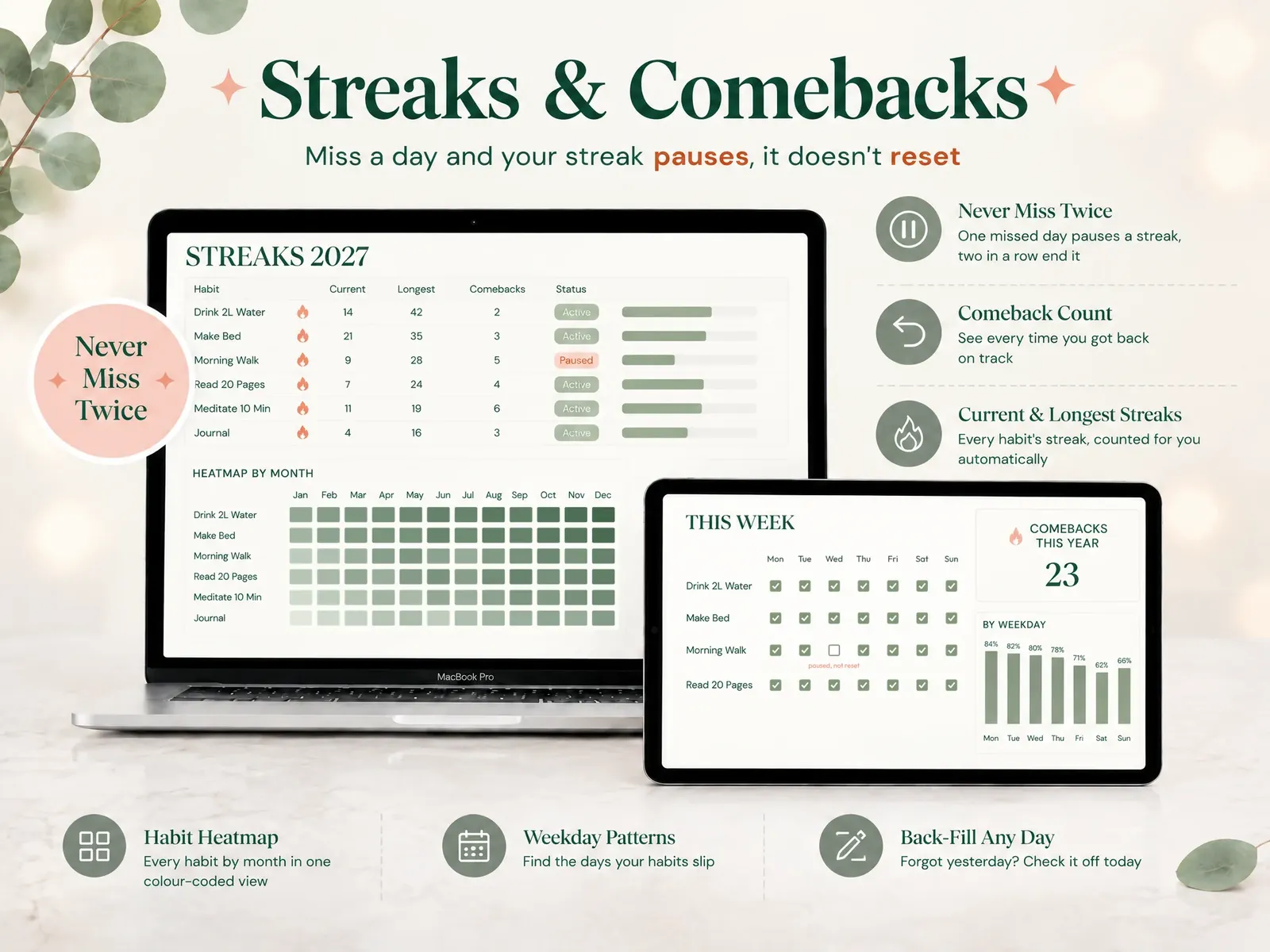
Streaks are still useful, provided one miss doesn't erase them. Never miss twice is the rule that one missed day pauses the streak and two in a row end it.
You can implement it with a helper row. For each day, the streak value is:
- The previous day's streak plus one, if today is checked.
- The previous day's streak unchanged, if today is empty but yesterday was checked.
- Zero, if today and yesterday are both empty.
With checkboxes in row 2 and the helper in row 3, start day 1 with =IF(B2, 1, 0) in B3. Then enter this formula in C3 and fill right.
=IF(C2, B3+1, IF(B2, B3, 0))
Also count your comebacks: the times you checked a habit the day after a miss. In the October example, that's a count of every day where yesterday was empty and today is checked. Watching that number increase changes how a missed day feels.
What to Track Besides Yes or No
A checkbox tells you whether you did it. A few additional rows, such as these, can explain why some weeks go better than others:
- Mood, rated 1 to 5.
- Energy, rated 1 to 5.
- Sleep, in hours.
- A one-line note describing what interfered.
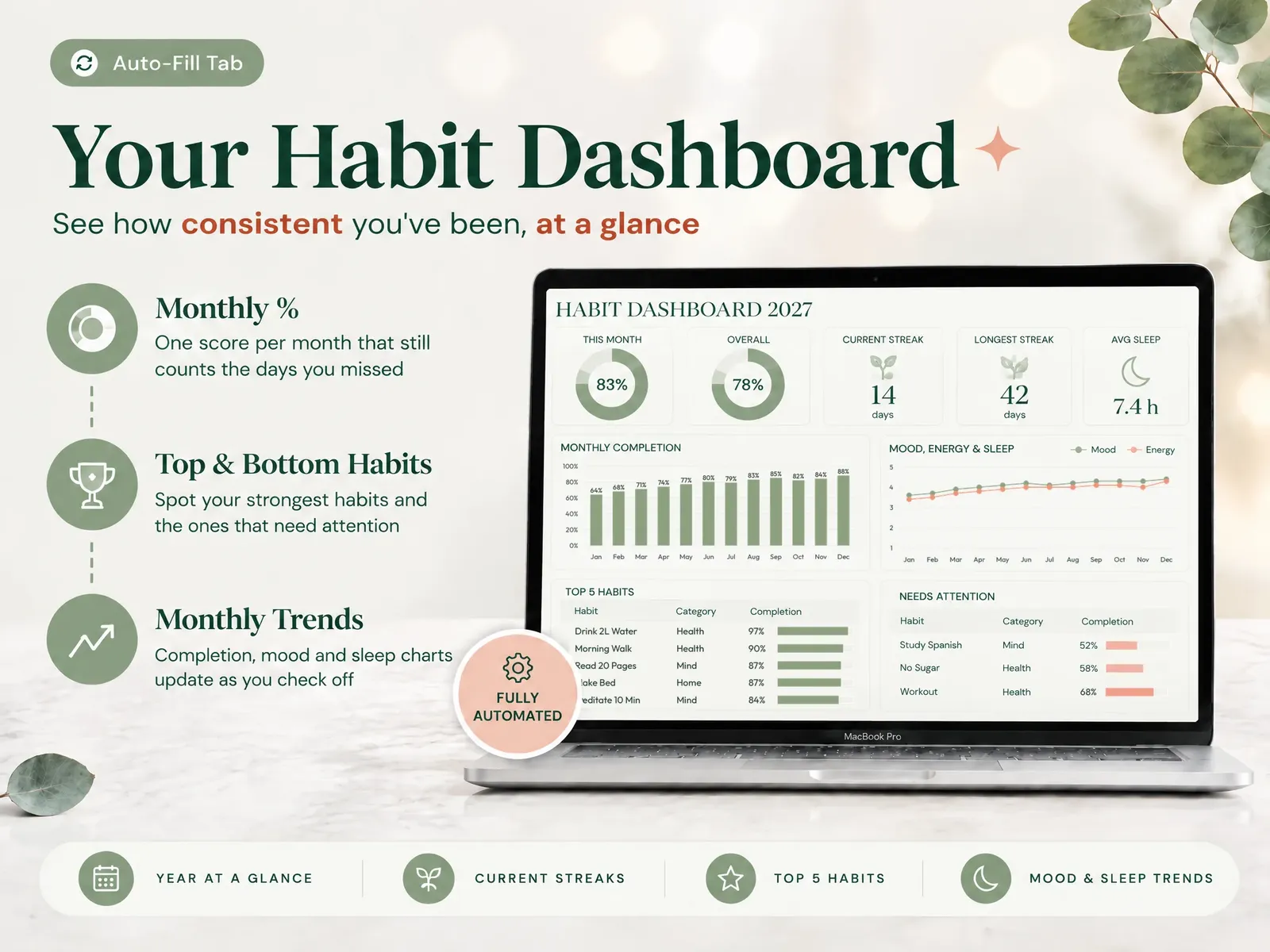
After a month, compare your high-completion weeks with your sleep or energy entries. You don't need complicated charts; a simple line of month % beside average sleep is often enough to identify a pattern. Treat it as a pattern to monitor rather than evidence of causation.
Excel or Google Sheets: Which Should You Use?
Use Google Sheets if you usually check off on your phone; use Excel if you prefer desktop software. The formulas above work in both.
| Situation | Better choice | Why |
|---|---|---|
| You check off on your phone most days | Google Sheets | The mobile app syncs the same file everywhere |
| You work offline or prefer desktop software | Excel | Full features without a connection |
| You share a tracker with a partner or friend | Google Sheets | Live sharing is built in |
| You want heavier charts and formatting | Excel | More chart and formatting options |
| You're not sure yet | Either | Stick to the formulas above and the file works in both |
What Keeps You Opening the Sheet in Week 3
The tracker that lasts is the one that's easy to return to. Four habits determine that more reliably than any feature list.
You start with three habits. Fifteen habits fill the sheet with empty boxes and drag the month score down. The tracker then becomes a source of guilt. Three habits that take under ten minutes each leave room for a difficult week.
Your headline number is the month. If the first number you see is the month %, a missed Tuesday costs a few points. If it's a streak, it costs everything, and that's usually the day people stop opening the file. A spreadsheet that puts the month first and pauses the streak on one miss is built around that.
You check off at the same moment every day. Right after dinner is one reasonable option. Forgot? Fill yesterday in today; back-filling is honest as long as you did the habit.
You review once a week. On Sunday, consider which habit slipped and what interfered. Add a new habit only once the first three happen without much thought.
Why Trust This Article
We're the Cosmo Suite team that built the Ultimate Habit Tracker; you can read about us and how to contact us. Methodology: the layout, the formulas and the never-miss-twice rule follow the monthly and streak tabs of our spreadsheet. We rewrote them as plain formulas so you can build them yourself. The October table applies those formulas to sample check-offs. The habit-formation figures come from the BPS summary of Lally et al. and the 2024 Healthcare review. Checkbox details come from Google's and Microsoft's help pages. Everything was checked on 3 October 2026 under our editorial policy. For medical or clinical questions, talk to a professional.
Where the Ultimate Habit Tracker Fits
Building the grid is the straightforward part. Maintaining the streak helper rows, comebacks and monthly totals across twelve tabs is where homemade trackers usually break.
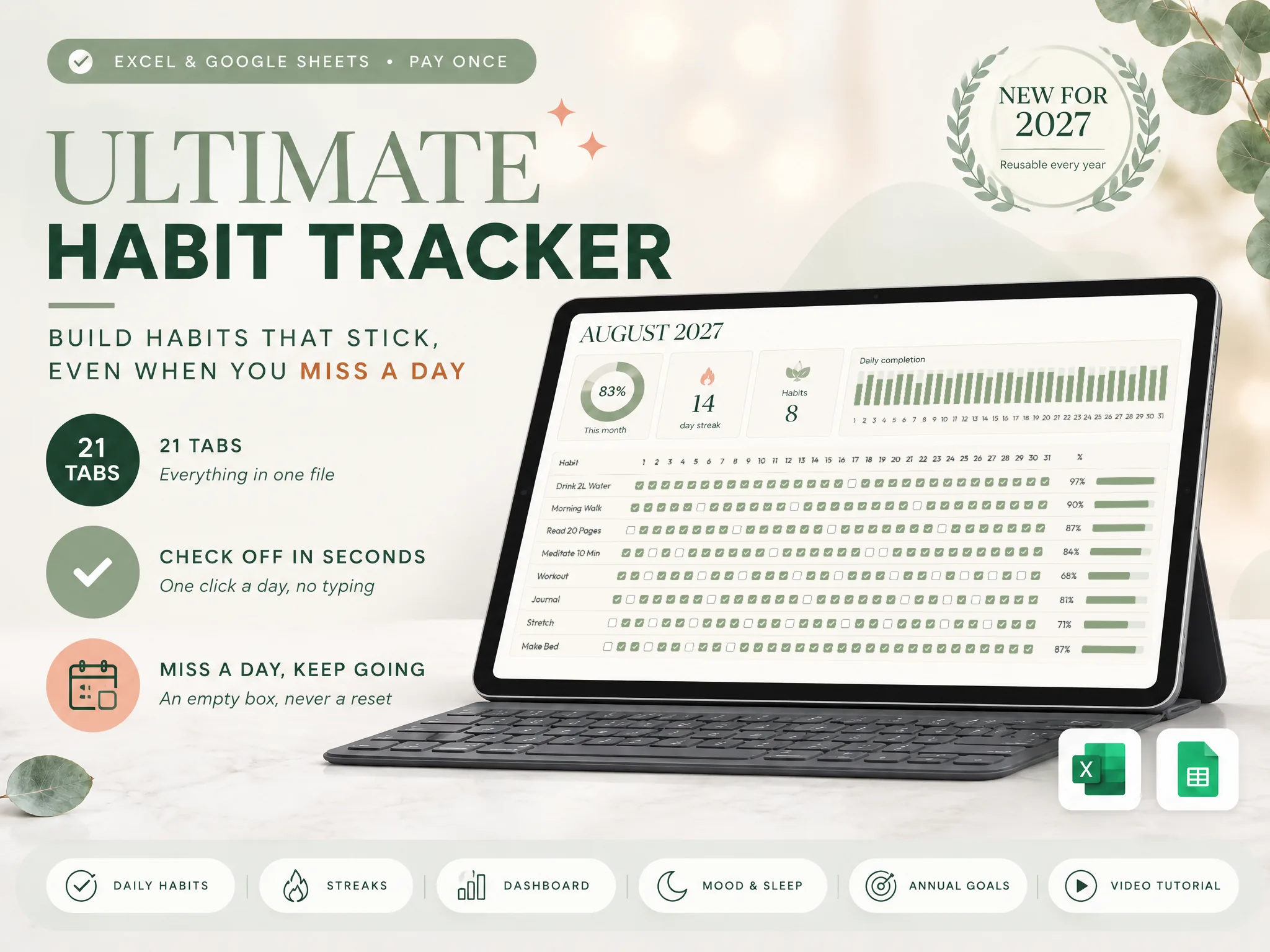
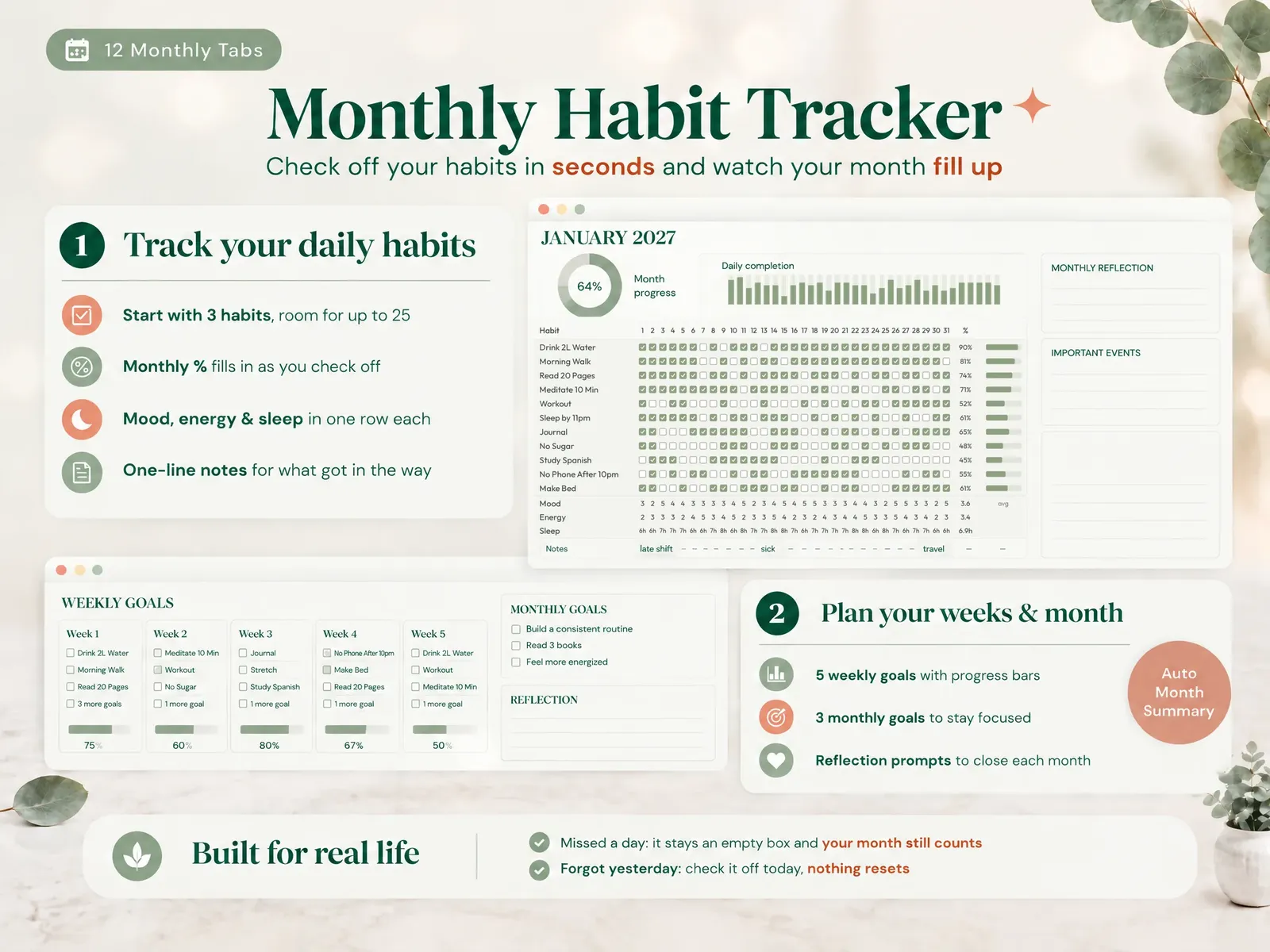
The Ultimate Habit Tracker is that spreadsheet, already built. It has 21 tabs in 4 sections, with a monthly grid for up to 25 habits a day, from January to December. Check off a habit in seconds with no typing. A missed day pauses your streak instead of resetting it, and comebacks are counted automatically. You can also fill in yesterday today.
Mood, energy and sleep rows sit under the grid, and a dashboard shows the month, your streaks and your top habits. Annual goals and a year in review complete the workbook. It comes in Excel and Google Sheets, both included. It doesn't send reminders; you open it whenever you check off.
You pay $9 once and reuse it every year, with no subscription. You can see every tab of the habit tracker spreadsheet for Excel and Google Sheets before you decide.
Frequently asked questions
Is a habit tracker spreadsheet better than a habit app?
It depends on what made you quit before. A spreadsheet is a file you own, with no account, no notifications and no subscription, and you can change any rule. An app is quicker to set up and can remind you. If apps lost you because a broken streak felt like failure, a sheet that scores the month is the better fit.
Can I use the same habit tracker in Excel and Google Sheets?
Yes, if you stick to functions both support, such as COUNTIF and plain checkbox columns. Checkboxes in both return TRUE when checked and FALSE when empty, so the same formulas work. Microsoft lists in-cell checkboxes for Excel for Microsoft 365, on Windows and Mac.
How many habits should I track at once?
Start with three. A short list means checking off your day takes seconds, which is what keeps you opening the sheet. Add a fourth only once the first three happen without much thought, usually after a few steady weeks rather than a few days.
What should I do when I miss a day?
Leave the box empty and check off today. A good tracker counts the days you did show up, so your month still reflects your effort. If you simply forgot to check off yesterday, fill it in today. The only rule worth keeping is not to miss twice in a row.
How long does it take for a habit to stick?
Longer than the popular 21 days. In the University College London study by Lally and colleagues, the average was 66 days and the range ran from 18 to a predicted 254. A 2024 review of 20 studies found medians of 59 to 66 days. A single missed day had little effect on progress.
What is a good monthly completion percentage?
There's no official benchmark, so set your own. As a worked example, 4 missed days in a 31-day month still scores 87% for that habit. Many people color 80% and above green and treat anything over half as a month worth keeping. The trend across months tells you more than any single number.
Sources
- BPS Research Digest: How long does it take to form a habit? (on Lally et al., 2010)
- Singh et al. (2024), Time to Form a Habit: A Systematic Review and Meta-Analysis of Health Behaviour Habit Formation and Its Determinants, Healthcare
- Google Docs Editors Help: Add & use checkboxes
- Microsoft Support: Using check boxes in Excel
- Google Docs Editors Help: COUNTIF